Thanks for your feedback!
EDIT
The Export/Import feature was developed to facilitate the replication of APIs, plans, and Java and JavaScript custom interceptors across environments.
| This feature is meant for replicating elements across environments within the same API Manager. Importing and exporting objects across Managers of multiple clients, for example, will not be successful. |
You can only export one object type at a time, but each export can contain multiple objects. That is, if you want to export both APIs and plans, you must perform the export process twice, but you’ll be able to include several APIs and plans in each export, respectively.
To export objects:
Click the Export button, which will open a modal window for the required selections.
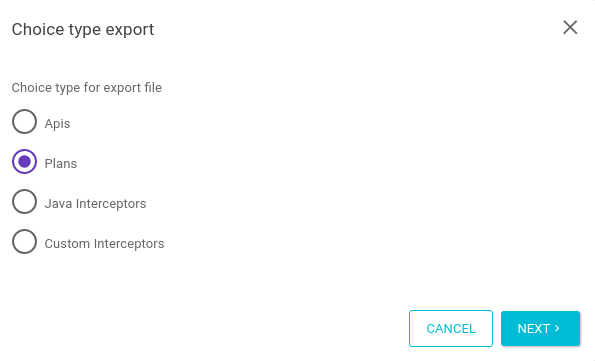
Select the desired object type (APIs, Plans, Java Interceptors, or Custom Interceptors) and click on Next.
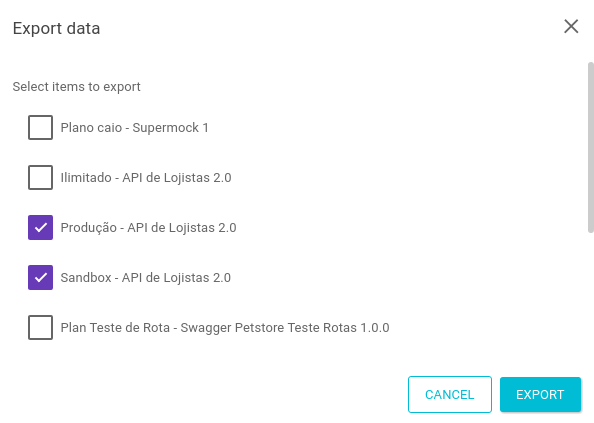
Select the items that will be exported and click on Export.
A JSON file will be available for download and can be reimported into the Manager later through the Import feature.
|
Do not manually modify the structure or default fields of the exported JSON file. Changes such as adding, removing, or editing attributes (for example, changes to field naming) may compromise data integrity. The import process may not validate these inconsistencies, which may result in incorrect data overwrites, loss of information (such as API revisions), or API unavailability in the target environment. |
|
Some rules are applied when exporting objects:
|
To import objects:
Click the Import button, which will open a modal window for the required selections.
Select the object type that matches the JSON file to be imported (APIs, Plans, Java Interceptors, or Custom Interceptors) and click on Select File.
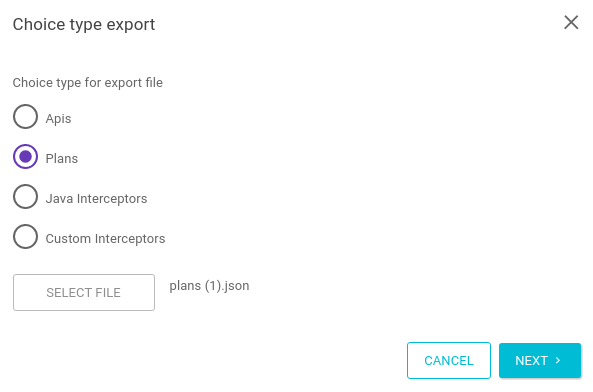
Select the file that will be imported from your machine and click Next.
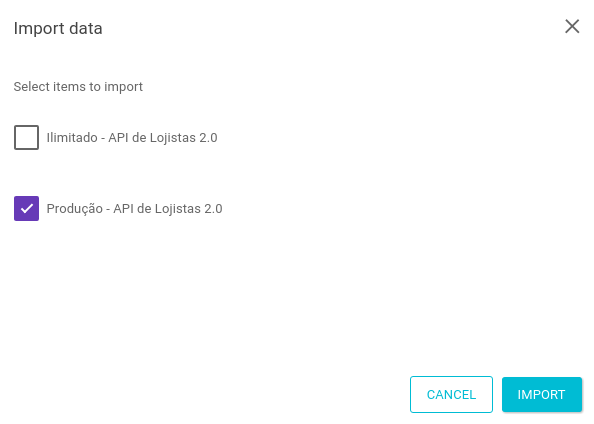
Select the items that you wish to import and click on Import.
Make sure the JSON file has not been manually modified before import.
|
Some rules are applied when importing objects:
|
Share your suggestions with us!
Click here and then [+ Submit idea]